A personal invite link shows who sent it, and joining with it follows them.
When someone joins with your invite, Notifications says so, with Follow back.
For You lifts work by members you follow.
An empty plate you can edit shows one quiet line: Paste or drop anything.
Signing up and making your first plate no longer jump as pages load.
Ister 1.4.49
Connect finds plates shared with you as soon as it opens, and plate thumbnails keep up with your edits.
Ister 1.4.48
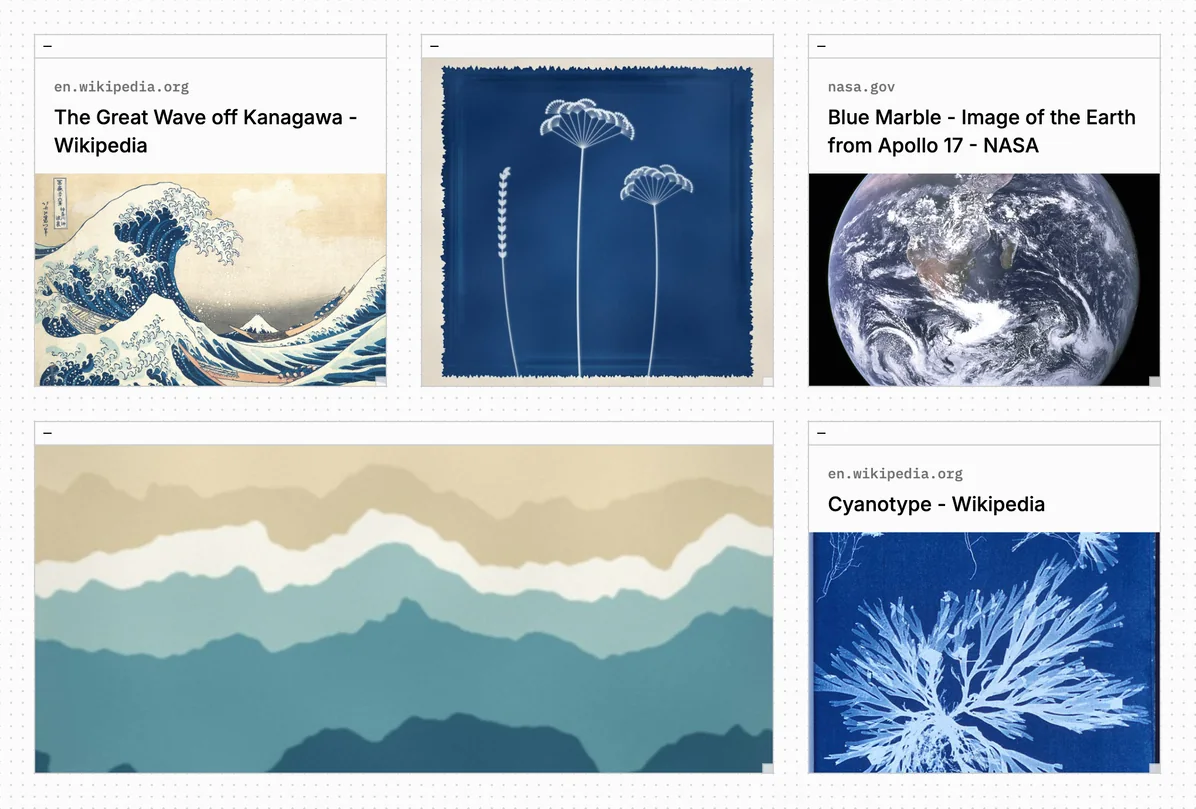
Links to web pages now show a capture of the page they point to.
Page captures on links
A link to a web page shows a capture of the top of the page, with the site's address on a small label, on plates and in Explore. Links already on your plates get theirs over time; a page that can't be captured keeps its card.
Also
Search finds pictures by the tags they show.
PDFs added from an iPhone, and older ones, show their first page.
On a plate you can edit, Connect works on every block you see.
Ister 1.4.47
Picture tags skip quotes and generic words, and an opened picture lists only trusted sites where it appears.
Ister 1.4.46
Small fixes to how pictures connect plates.
Ister 1.4.45
Type [[ in a text block to link to a plate by its title.
Scrub a song in the bottom player, and long titles scroll to show the whole name.
A plate's soundtrack block shows a small speaker in its header.
Follow a For You maker in one tap, and long-press a card on touch for its menu.
Back returns you to the same place in Explore and in search results.
An opened picture lists web pages where the same picture appears.
Ister 1.4.44
Public plates can show up in search engines, as their owner chooses with a Search engines switch in Share.
Follow someone back straight from Notifications.
Pasted blocks land on top, and long links and file names wrap inside narrow blocks.
Red text and outlines are easier to read in the dark theme.
Leaving the gallery on a phone no longer stutters.
Write to support@vienna.earth from Settings or the site's footer.
Ister 1.4.43
For You on Explore always has something new from other members, and each card credits its maker and plate.
Rest the pointer on a video in Explore to play it, muted.
A color block can be named from its menu.
A collaborator's moves and resizes glide across your screen as they drag.
When someone adds blocks to a plate you liked, Notifications tells you.
Text blocks link only real web and mail addresses, and lists line up in one gutter.
Ister 1.4.42
The same text, link, file or picture on two plates now counts as a connection.
Click a picture on a plate to open it, as a tap does on a phone.
Long plates open faster for visitors, and plates with many GIFs for everyone.
Albums and playlists show Vienna's own player until you press play.
Home no longer has a For You tab; Explore still does.
Ister 1.4.41
A plate can be Unlisted, so only people with its link can see it, and Home has a For You tab.
Very large plates get thumbnails.
Reloading a plate right after an edit shows the edit at once.
Ister 1.4.40
A video can be a plate's soundtrack, files can be renamed from their block menu, and a new Credits page names the people and agents who built Vienna.
Settings has an Account tab showing your email, and the Email tab is now Notifications.
Clean Up opens straight onto a preview, in the layout you last applied.
Pasted and Alt-dragged copies of pictures and files now stay after a reload.
Vienna's song player has a small Open in Spotify link.
The end of a plate's phone gallery credits its agent beside its maker.
Ister 1.4.39
A song can be a plate's soundtrack, and a song block's color can be changed.
Ister 1.4.38
Songs from Spotify and Apple Music show Vienna's own player until you press play.
Clean Up can shuffle, and Adjust sets packing and gaps.
Videos can fill their block, like pictures.
Tagging a picture suggests tags you already use.
Download… saves a plate as an image or a print file.
Ister 1.4.37
When an agent edits a plate, everyone with it open sees its changes, and its credit in the byline, as they happen.
If Vienna hides one of your blocks while its plate is open, it's marked there straight away.
Plate thumbnails update their connection counts when a connected plate is deleted or its sharing changes.
Ister 1.4.34
Explore's For You replaces Recent, Clean Up lets you preview three layouts, and you can download a plate as an image.
For You in Explore
Instead of newest first, it mixes recent work from many members, favoring what others have liked and connected.
Clean Up layouts
Clean Up in Plate Settings now offers three layouts for your plate: Justified rows, Masonry and Collage, each keeping every picture's shape. You preview each on the plate before applying, and one Undo puts everything back.
Download a plate as an image
When signed in, right-click a plate, or its thumbnail on Home, Explore or a profile, and choose Download Image for a high-resolution PNG of the whole plate.
Also
Apple Music links play on the canvas; PDFs you add show their first page.
Are.na imports bring in up to 1,000 blocks, attachments included, in justified rows.
Plate Settings shows a plate's views, and Make Private says if other people's plates show it.
Resetting your password signs you out everywhere else and disconnects your agents.
A block window stays readable on the plate that holds it, even if the original is deleted or made private.
Ister 1.4.33
Settings now opens on a General tab that keeps Theme, Show examples and soundtrack autoplay together.
The Download page no longer offers the outdated Windows app.
A copy of a block you liked no longer shows as liked.
Long plate titles no longer overlap + and Share in the Mac app.
Ister 1.4.32
Plates can play a soundtrack as they open, search finds plates as well as people, and you can block a member.
Plate soundtracks
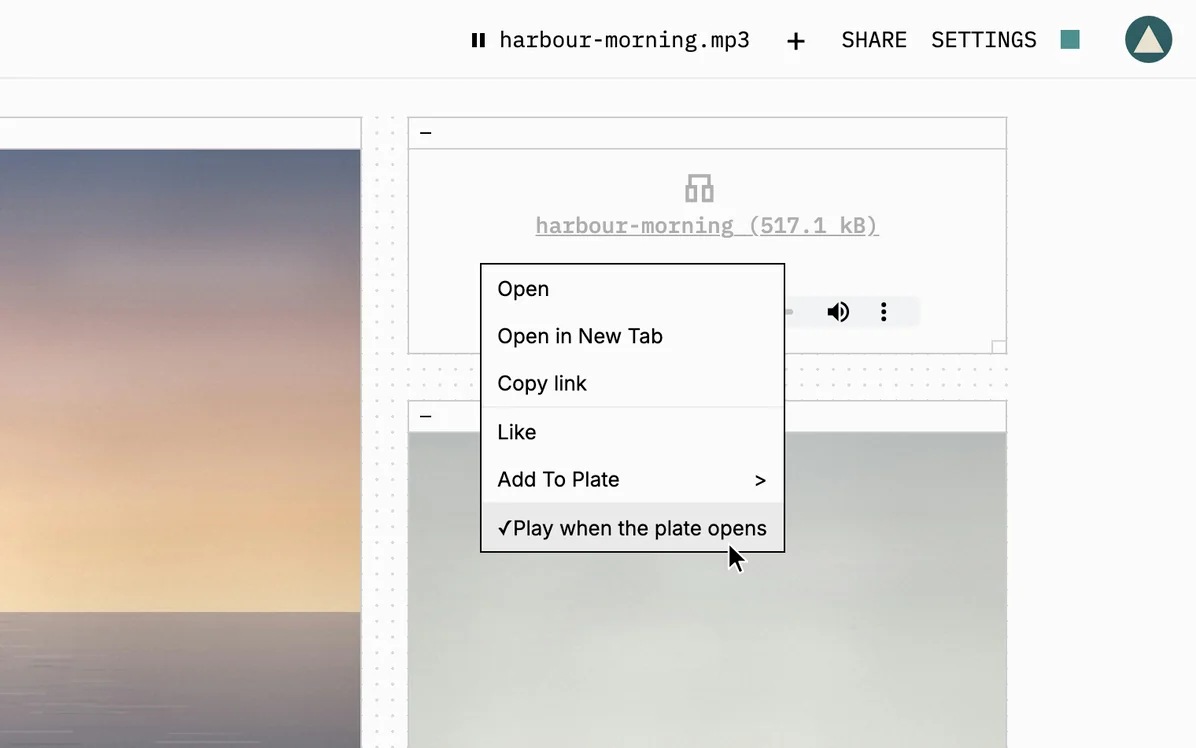
Right-click an audio file on a plate you edit and choose "Play when the plate opens". Visitors can pause or start it from the top of the plate, and members can turn autoplay off in Settings.
Plates in search
Search lists plates alongside people, including new ones, even with a typo or a missing accent. Your own plates rank above strangers' with the same title, and Share finds collaborators the same way.
Block a member
Block someone from the ⋯ menu on their profile, and they disappear from your Explore, search and notifications until you unblock them in Settings. They aren't told, but you unfollow each other and neither can edit the other's plates.
Also
Click a tag you just kept to turn it back into a suggestion.
Imported Are.na channels keep their order, and their images get automatic tags.
Liked Blocks, share notifications, connections and Home's examples skip plates you can't open.
Members with accented or non-Latin names stay signed in.
Fixes for YouTube in the Mac app, connection previews, video controls, pasting and dragging.
Ister 1.4.31
Are.na imports show a preview of the plate they will make before you start.
A progress bar shows how far along an Are.na import is.
Hover a block's connection count and the preview's thumbnails appear sooner.
Ister 1.4.30
Website links become cards, you can swipe through a plate on your phone, and you can bring in an Are.na channel.
Link cards for websites
Paste a website link onto a plate and it becomes a card showing the site's address, the page title and a preview image. Website links already on your plates show as cards too, instead of an error.
Swipe through plates on phones
On a phone, switch a plate to Gallery and swipe through it one block at a time. Switch back to Canvas and it opens at the block you stopped on.
Import from Are.na
In Settings › Import, paste a link to a public Are.na channel. Up to 200 of its blocks arrive in a new private plate.
Also
Connect an AI agent in Settings › Agents to make and edit plates.
Plates update live in your other tabs and devices, and for signed-out visitors.
Report a plate or block that isn't yours from its right-click menu.
Share an invite as a link, and members who had run out get three more.
Explore has a plates filter, and you can add or hide an image's tags.
Ister 1.4.29
When you're signed in, other people's plates update as you watch, and a plate's link shows its title and owner in chats and posts.
Watch a plate change live
Open someone else's plate while signed in and it updates as they work. Blocks move and new text appears without refreshing the page.
Link previews for plates
Paste a plate's link into a chat or social post and it shows the plate's title and owner instead of a bare link. Private plates get a plain preview that gives nothing away.
Also
Upload replaces Image in the + menu, for pictures, PDFs and other common files.
When you're back online, plates catch up without undoing anyone else's edits.
Missing or private plates and unknown usernames show a clear page, not an error.
Explore and the Mac app open faster, and the Mac download is much smaller.
Fixes for keyboard use, small screens, password reset and duplicate plates in Explore.
Ister 1.4.28
Explore and new plates are faster, people editing a plate together see each other's text as they type, and the + button opens a menu of blocks.
Faster Explore and new plates
Explore scrolls, filters and switches between Random and Recent faster, and videos and other embeds stay loaded as you scroll. A new plate opens quickly, even on a slow connection or if you have hundreds of plates.
Live text on shared plates
When several people edit a plate, each now sees the others' text and code appear as they type. A block someone else has selected is locked to you, and renaming the plate or removing someone's edit access applies straight away.
Block picker on the + button
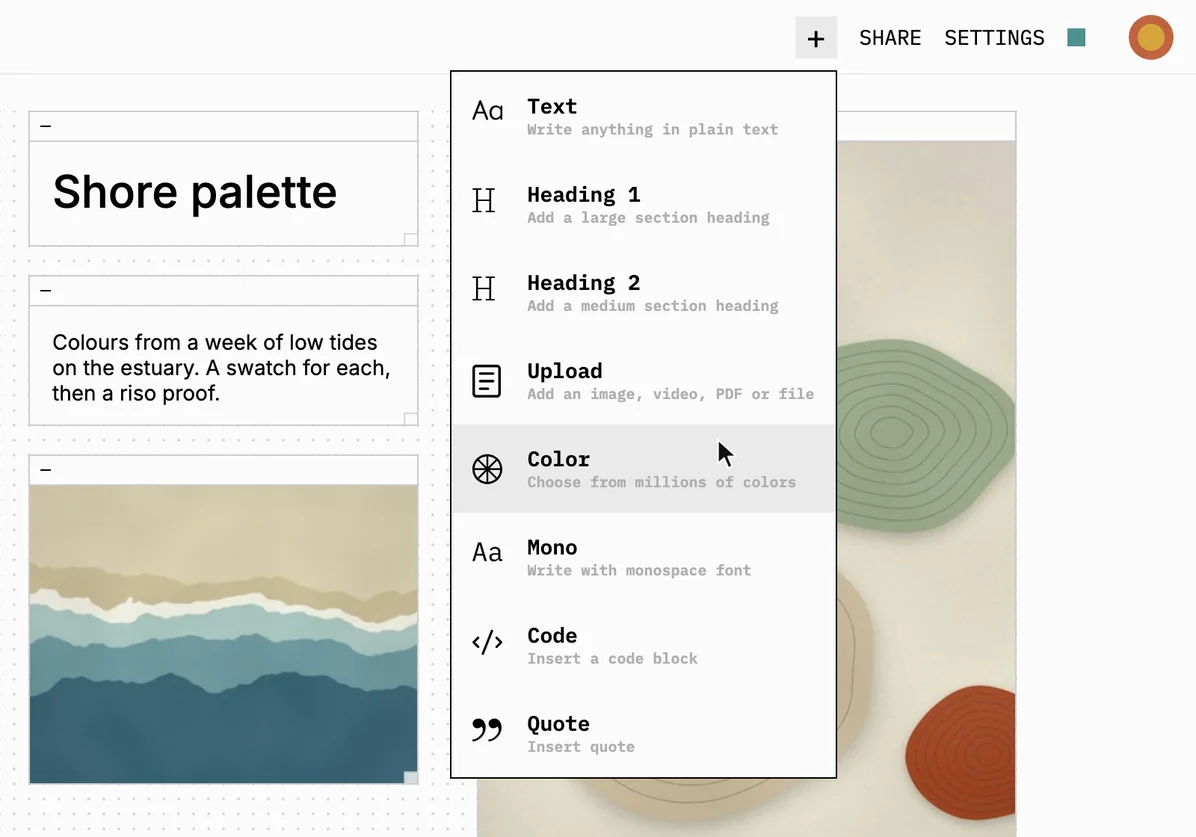
The + in a plate's header now opens a menu of block types instead of adding blank text. Pick a heading, quote, code or color, and it appears on screen, ready to fill in.
Also
Right-click menus, Share, Views and every plate header control work from the keyboard.
Paste now uses what you copied last, even from another app.
Plate headers and the site menu fit on phones and narrow windows.
Sign-in and password reset accept your email in any capitalization.
Signup and password reset emails say what each code is for.
Ister 1.4.27
Expanded images show the whole picture, and visitors get a new Join page.
The Join page explains membership and how to join by waitlist or invitation.
Public pages link to Download, which shows each installer's version and Mac release notes.
The public home page and Changelog load straight away, without a spinner.
Explore no longer shows images or files that didn't finish uploading.
Fixes for narrow screens, Dark mode, broken plate previews and saving long-captioned images.
Ister 1.4.26
New members get three invitations to pass on, and plates no longer go blank while loading.
You can make, download and copy invitations using only the keyboard.
If a plate fails to load, you can retry it in place.
In the Mac app, Back and Forward work while a plate is loading.
Your saved Dark mode now applies when you open or reload Vienna.
Expanded file blocks and notification cards fit narrow screens, long plate titles included.
Ister 1.4.25
Signing up and downloading the Mac app are a little smoother.
If signing up fails partway, your invite still works when you try again.
The Download page fits small screens, with simpler help picking your Mac version.
Ister 1.4.24
A new + button beside Share adds a text block on desktop, and your edits save more reliably.
Failed saves stay marked unsaved, and dismissing a save warning keeps you editing.
Touch screens show Like, Connect and privacy controls, and titles and menus fit phones.
You can expand an image right after adding it.
The Mac app opens reliably on My Plates.
YouTube previews fit their blocks, and code blocks use quieter colors.